How to Organize Notes for Clarity and Instant Recall
A practical guide to organizing notes: PARA, Zettelkasten and Cornell, a capture-to-recall workflow, and keeping notes readable by the AI you use.
On this page
- Your notes are a mess, and it's not your fault
- The filing cabinet model breaks down
- Notes should connect, not just sit there
- Find a note-taking philosophy that fits your brain
- Three systems worth stealing from
- Choosing without overcommitting
- Design a frictionless capture-to-storage workflow
- Capture everything into one inbox
- Process before you file
- Let the tool do the first pass on captures
- Organize lightly and retrieve aggressively
- Master smart search over manual filing
- Good retrieval starts with light structure
- Why search beats folder perfection
- Build the habit of review and maintenance
- Weekly review beats heroic cleanup
- Maintenance should create value
- Real-world examples and starter templates
- Three ways this looks in practice
- Organizing research notes: keep the source attached
- A simple starter template
- Choosing a tool without locking yourself in
- What to check before you commit
- How to migrate without making a mess
- How Sensefold fits this workflow
- Frequently asked questions about organizing notes
- What's the best way to organize digital notes?
- Should I organize notes with folders or tags?
- How do I find a note when I forget the title?
- Can one library really connect notes across formats?
- Will an AI tool rewrite my notes?
- Is uploading my notes and PDFs to an AI tool private?
- How often should I review my notes?
Learning how to organize notes isn't really a discipline problem. You probably already have notes — too many, in fact.
They're scattered across Apple Notes, Google Docs, Notion pages, screenshots, voice memos, saved articles, random PDFs, Slack messages to yourself, ChatGPT and Claude threads you meant to come back to, and a browser with thirty tabs you swear you'll process later. The issue isn't that you're lazy. It's that most note systems still assume information should be filed like paper in a cabinet.
That model breaks the moment your work crosses projects, topics, formats, and time. A useful note system doesn't just store information neatly. It helps you find, connect, and reuse it when your brain only remembers half the idea — and, increasingly, it has to let the AI tools you work with read the same notes.
Your notes are a mess, and it's not your fault
Most people don't fail at note organization because they lack discipline. They fail because they're using a model built for folders, not for thinking. A folder answers one question well — where should this go? Knowledge work asks a harder one: what is this connected to?
That mismatch gets expensive fast. You save an article about pricing, then later need it for a product strategy memo. You clip research for one project, then realize the same note also matters to hiring, writing, or a client meeting. Traditional filing forces one home onto information that naturally belongs in several places at once.
The underlying issue isn't personal clutter. It's the gap between storage and recall.
The filing cabinet model breaks down
A folder makes you choose a single home for each note, but real notes belong in several places at once. A note about a podcast episode might matter because of one quote, one framework, one person mentioned, and one action it triggered. If your system makes you file it under a single label like "Marketing" or "Inspiration," it has already lost context — and you'll struggle to find it later because you no longer remember which label you picked.
Practical rule: If you can only find a note by remembering where you filed it, your system is too rigid.
Notes should connect, not just sit there
The better mental model is a living knowledge layer. Notes should be easy to capture, lightly structured, and searchable across formats — and they should surface related material you didn't remember to look for.
That's why many tidy-looking systems still feel bad in daily use. They reward manual sorting up front, then punish you later when you need flexible retrieval. You spend time naming, nesting, and tagging, but the payoff is weak because the structure reflects administration, not thought.
A better system does three things well:
- Captures quickly: save text, links, PDFs, screenshots, AI chats, and rough ideas without friction.
- Adds context later: summaries, keywords, related topics, and source context get layered on after capture.
- Retrieves by meaning: find a note from a phrase, concept, project, or adjacent idea, even when you've forgotten the original title.
If you want to learn how to organize notes in a way that survives real work, stop trying to build a prettier filing cabinet. Build a system that assumes overlap, ambiguity, and imperfect memory.
Find a note-taking philosophy that fits your brain
The fastest way to choose a note-taking system is to match it to how you already think, then steal the parts that hold up under pressure — not to hunt for one perfect method.
Three approaches consistently work better than the rest: PARA, Zettelkasten, and Cornell. They solve different problems, and none is complete on its own.
Three systems worth stealing from
PARA (Projects, Areas, Resources, Archives), described by Tiago Forte in The PARA Method, is the most practical if your days revolve around deliverables. It works because it mirrors action. If you manage client work, product launches, recruiting pipelines, or editorial calendars, PARA gives you a clean way to separate what's active from what's reference material. Its weakness shows once notes start crossing boundaries: a useful idea often belongs to more than one project and area, and PARA doesn't naturally surface those hidden connections.
Zettelkasten does the opposite. It treats notes as a network — one idea links to another, and over time you build a web instead of a shelf, the way Niklas Luhmann's original slip-box worked (the introduction at zettelkasten.de is the clearest primer). This is strong for writers, researchers, and anyone whose output depends on synthesis. The downside is that pure Zettelkasten can turn into ideology. If you spend more time debating note granularity than writing or thinking, you've gone too far.
Cornell is still the best structured method for learning from lectures, books, and dense source material. Its three-part page layout — notes, cues, summary — forces active engagement instead of passive transcription, which is exactly why it holds up for input-heavy study; Cornell's own Learning Strategies Center documents the format. It's less useful for messy, cross-topic ideation.
Choosing without overcommitting
Purity isn't required. A hybrid approach is often the right call.
| System | Core Principle | Best For | Biggest Challenge |
|---|---|---|---|
| PARA | Organize by action and responsibility | Professionals managing active work | Ideas that belong in multiple places |
| Zettelkasten | Build a network of linked ideas | Writers, researchers, deep thinkers | Too much complexity if you over-engineer it |
| Cornell | Structure notes for review and recall | Students, learners, source-heavy work | Less useful for messy, cross-topic ideation |
The practical version looks like this:
- Use PARA for top-level navigation when work has deadlines and owners.
- Use Zettelkasten-style linking inside notes when ideas overlap.
- Use Cornell for input-heavy sessions like lectures, webinars, and research reading.
Don't choose based on aesthetics. Choose based on the kind of retrieval you'll need three weeks later.
What doesn't work is forcing one philosophy onto every kind of note. Meeting notes, lecture notes, article clippings, saved AI conversations, and original ideas aren't the same object. The best systems let different note types behave differently while still living in one searchable library.
Design a frictionless capture-to-storage workflow
The best note system is the one you'll still use on a rushed Tuesday. That means removing friction at the front end. If capture is annoying, nothing else matters.
A simple flow works well: Capture, Process, Organize, Retrieve. Not because it's elegant, but because it respects reality — you don't think clearly at the moment of capture, so you clarify later.
Capture everything into one inbox
You need one default destination. Not five. One.
That inbox can live in Apple Notes, Obsidian, Notion, Evernote, Bear, or any tool you'll actually open. The point is consistency. If you save some things to a read-it-later app, others to screenshots, and the rest to browser bookmarks, you don't have a system — you have a scavenger hunt.
Good capture options usually include:
- Browser capture: save an article, a social thread, a YouTube page, or a ChatGPT/Claude conversation from the tab you're already in, without copy-pasting.
- Share sheet capture: save articles, videos, PDFs, and social posts from your phone.
- Clipboard capture: quick snippets, quotes, and links when you're moving fast.
- Voice or scratch notes: the fastest way to catch ideas that arrive while walking or between meetings.
- File drop: a simple place for PDFs, slide decks, and screenshots.
If most of your backlog starts as articles and saved links, it helps to study how dedicated read-it-later workflows reduce friction. This guide to a better read-it-later app workflow shows what low-friction capture should look like. If the goal is a library the AI you use can read as well, the capture, enrichment, and connection steps are walked through end to end in how to build an AI second brain.
Process before you file
Capture should be fast and dumb. Processing is where intelligence happens.
Many systems fail because they ask you to choose the right folder, title, tags, and format at the moment you save. That's too much cognitive work upfront. Raw notes should first be cleaned, clarified, and reduced.
A solid processing pass does four things:
- Rename for future recall. Use a title you'd search for later, not a vague original headline.
- Add a sentence in your own words. This matters more than perfect tagging — your wording reflects your actual understanding.
- Pull out the key point. A note with one sharp takeaway beats a fully preserved article you'll never reread.
- Link to active work. Ask which project, question, or idea this note can feed.
A saved note becomes useful when you compress it, not when you collect it.
Let the tool do the first pass on captures
Steps 1–4 are worth doing by hand for the notes you write. For the material you capture — articles, PDFs, screenshots, threads, videos — a good tool should do the first pass automatically on save, so light structure doesn't depend on perfect daily habits. What separates a capable tool from a basic one is enrichment, the useful layers it adds to what you save:
| Type of enrichment | What it does | Why it matters |
|---|---|---|
| OCR | Pulls text from screenshots, scans, and image-based PDFs | Makes documents that were just pixels searchable |
| Summarization | Distills long material into a few bullets | Helps you triage before reading deeply |
| Auto-tagging | Suggests categories or themes | Reduces manual sorting |
| Transcripts | Turns a saved video into searchable text | Lets a talk show up in the same search as an article |
| Semantic retrieval | Finds by meaning, not exact wording | Helps when you remember the idea but not the phrase |
| Agent access | Lets the AI you already use read your library and point back to the saved item | Lets you verify instead of trust blindly |
One boundary matters here. Enrichment belongs on captured material, not on the notes you author. A summary of someone else's article is a convenience; a tool rewriting your own words is a liability, because your wording is the part that reflects your understanding. Check where a tool draws that line before you trust it with a year of notes.
Organize lightly and retrieve aggressively
Organization should be lean: broad buckets, a few durable tags, and links between related notes. Don't build a ten-level hierarchy unless you enjoy maintaining it. Keep the storage layer simple:
- One inbox for new captures
- One active work area for current projects
- One reference area for evergreen material
- One archive for stale or completed items
That's usually enough. Once a note is in the system, your goal isn't to remember where it lives — it's to trust that search, links, and contextual metadata will bring it back. Light structure can feel less tidy at first, but it survives scale better because it doesn't depend on perfect filing every single day.
Master smart search over manual filing
If you only fix one thing, make it retrieval, not filing. A clean folder tree looks satisfying right up until you need a note and can't remember whether you filed it under "Research," "Content," "Q3," or "Ideas." Good search makes imperfect organization survivable; great search makes most manual filing unnecessary.
Good retrieval starts with light structure
Search isn't magic — it works better when your notes have a little shape. Use a naming convention you can apply without thinking. Dates help when time matters, like meeting notes or research logs; a format such as YYYY-MM-DD Topic is enough. For evergreen notes, plain-language titles beat cryptic shorthand.
Tags also help, but only if you keep them lean. Limit them to a few categories:
- Project tags for active work with deadlines
- Concept tags for recurring ideas you'll revisit
- Source tags for article, book, podcast, meeting, lecture, PDF, or AI chat
- Status tags for inbox, review, or archived
That's enough metadata to help search without turning maintenance into a second job.
Why search beats folder perfection
In real life, you rarely remember a note by its exact title. You remember a blurry edge — maybe it was about onboarding, or product positioning, or an article that mentioned both. Systems that search titles alone won't help much. Systems that search full text, text extracted from images, transcripts, summaries, and tags are far more forgiving.
Search is also the layer that decides whether your notes are useful to an AI. If a tool can only find notes by exact title, then a connected assistant can only find them by exact title too. If it searches by meaning across every format, the assistant inherits that. For the wider set of habits that keep a library trustworthy over time, see these knowledge management best practices.
Search should let you find a note from what you remember, not punish you for what you forgot.
Build the habit of review and maintenance
A note system decays when capture outruns review — not immediately, but gradually. You feel it when the inbox grows, when tags get sloppy, or when good ideas disappear under fresh intake. Review is where isolated material turns into usable knowledge.
Weekly review beats heroic cleanup
The best review habit is small and repeatable. Don't wait for a quarterly reset where you promise to organize everything; that session rarely comes, and when it does, it feels punitive.
A short weekly pass is usually enough: clear the inbox, rename unclear notes, add one line of context to anything important, link fresh notes to active projects, and archive what no longer matters. It works because it stays close to the capture moment — you still remember why you saved the note, so clarifying it is easy.
Maintenance should create value
Review shouldn't feel like janitorial work. If it does, your process is too administrative. Use review to ask better questions:
- What keeps resurfacing? Repeated themes usually deserve their own note.
- What changed my mind? That's the kind of note worth revisiting later.
- What belongs together? A weak connection today often becomes tomorrow's useful insight.
- What can be archived? Dead material adds noise and lowers trust in the system.
Your notes get more valuable when review creates links, not when it merely cleans up titles.
You don't need to polish every note. You need to keep the system trustworthy. When you know recent notes have enough context and enough retrievability, you'll come back to them — and that trust is what turns a note archive into a working knowledge base.
Real-world examples and starter templates
The easiest way to understand note organization is to see it in motion. Different people need different levels of structure, but the strongest setups share one pattern: simple capture, light organization, and strong retrieval.
Three ways this looks in practice
A student uses Cornell for lectures, then saves articles, PDFs, and screenshots into one searchable library. Class notes stay structured; external sources stay flexible. Before writing a paper, the student searches by concept, course, and assignment instead of digging through downloads. When the source material is dense, a workflow for summarizing a PDF turns static documents into reviewable notes faster.
A writer collects interviews, article links, voice memos, and research snippets in one place. Instead of filing everything by publication, the writer tags themes like pricing, trust, onboarding, or narrative examples. The useful move isn't perfect sorting — it's being able to find three half-related notes that suddenly belong in the same draft.
A professional uses a PARA-style top layer for projects and areas but doesn't rely on folders for recall. Meeting notes, saved links, screenshots, and documents all flow into a central inbox first. During review, they add lightweight context and link notes to current work. Search does the heavy lifting later.
Organizing research notes: keep the source attached
Research notes have one extra requirement the other examples don't: every claim needs a trail back to where it came from. The failure mode is familiar — a crisp takeaway in your notes, no memory of which paper, page, or conversation it came from, and an hour lost re-finding it.
Three habits fix most of it:
- Save the source first, then write the note. Capture the PDF, article, thread, or AI conversation as its own item, and write your takeaway as a separate note that links to it. Never paste a quote without the item it came from.
- Triage with summaries, decide with the full text. Use a tool's summary to sort a reading queue into read fully, quote later, and probably not — then read the extracted text before you rely on anything.
- Keep AI conversations as sources, not conclusions. A ChatGPT or Claude thread that helped you think is research material. Save it as an item, tag it with the project, and cite it the way you'd cite a conversation with a colleague: useful, but not a primary source.
If your reading queue includes talks and lectures, a transcript-first approach to summarizing a YouTube video keeps the source attached the same way.
A simple starter template
You don't need a beautiful system to start. You need a durable one.
Starter structure
Top-level buckets
- Inbox
- Projects
- Reference
- Archive
Starter tags
- #project
- #meeting
- #article
- #ai-chat
- #idea
- #concept
- #waiting
- #archive
Basic note template
- Title
- Why I saved this
- Key takeaway
- Related project
- Related concepts
- Next action (or none)
This template works because it doesn't ask too much. It creates enough context for future retrieval without turning every saved item into a documentation exercise.
Choosing a tool without locking yourself in
Judge any note tool on a few hard criteria before you commit, then migrate in phases instead of all at once. Switching anxiety mostly comes from skipping the first step.
What to check before you commit
- Capture coverage: can it save links, PDFs, images, screenshots, social threads, AI chats, and your own notes from the devices you actually use?
- Search depth: does search cover full text, extracted text, transcripts, summaries, and tags — or only note titles?
- Where enrichment stops: does the tool summarize and tag what you capture while leaving the notes you write untouched?
- AI access: can the AI you already use — Claude, ChatGPT, a coding agent — read your library directly, and can you scope or revoke that access?
- Reversibility: if an assistant edits a note, is the change versioned and revertible?
- Export: can you leave with your notes in a plain, reusable format like Markdown?
- Privacy stance: is your library private, and does the company disclose which services process your content?
- Platform fit: browser, phone, and desktop all matter for daily use.
How to migrate without making a mess
Don't start by importing everything. Move your active material first — current reading list, recent project notes, the references you revisit — and let the new system prove itself on live work before you shovel in the archive.
- Pick one active project and use the new tool for real work immediately.
- Move recent sources only — don't drag years of dead clutter along.
- Test export early so you know you can get your data back out.
- Keep the old system read-only for a while to lower stress and avoid duplicate upkeep.
The right tool should make you feel less trapped, not more committed.
How Sensefold fits this workflow
Sensefold is personal context for the AI you already use: one private library where captured pages, threads, videos, PDFs, and AI chats are stored as Markdown alongside your own notes, and where your own AI reads and writes over MCP. Sensefold does not answer questions itself; the AI you connect does, working from the saved items it read. Here is how that maps onto the workflow above.
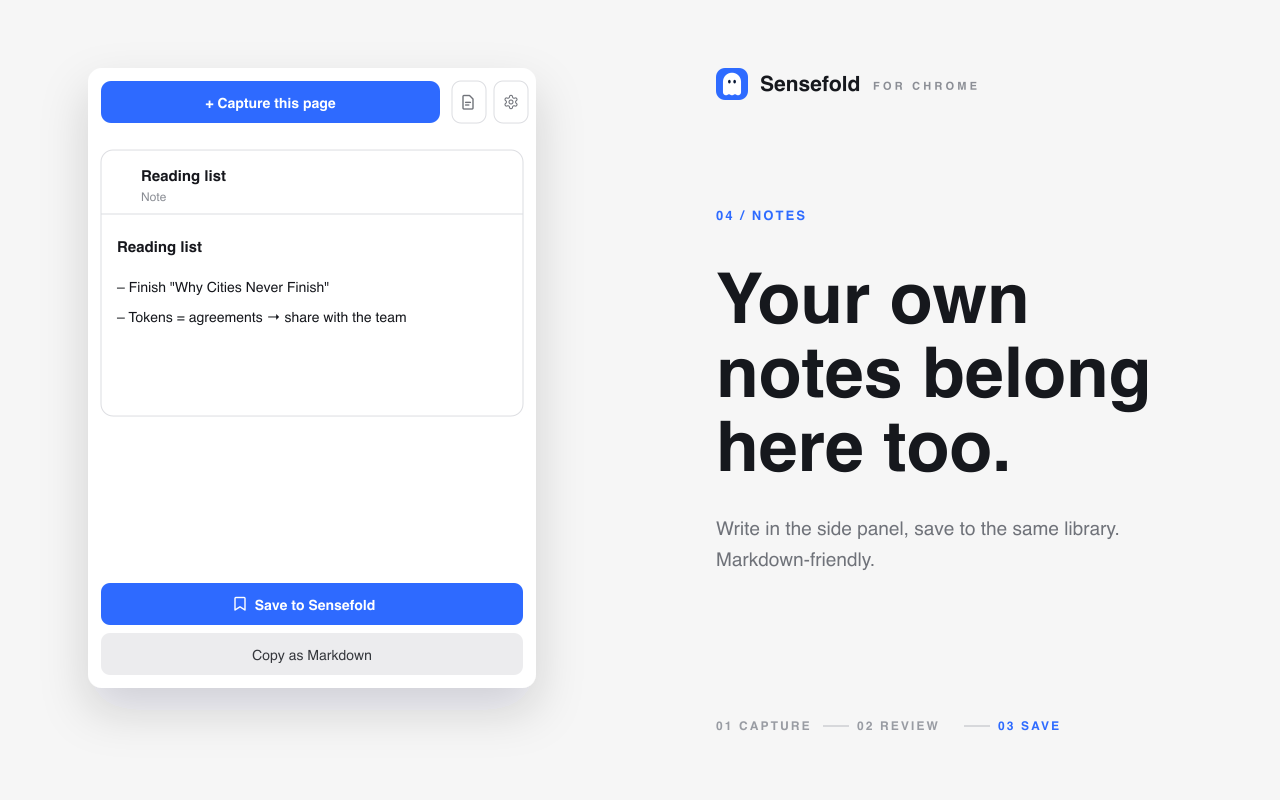
Capture into one inbox. Four entry points feed the same library. The Chrome extension captures the page you're on — articles, X/Reddit/LinkedIn threads with replies, YouTube pages with their transcript, and ChatGPT, Claude, Gemini, and Grok conversations as speaker-labelled Markdown — and lets you write a note in the side panel. The iOS share sheet saves from your phone. The web app takes pasted URLs, dragged files (PDFs and images), and Markdown notes with checklists; the macOS app is the same experience, native. Save a YouTube page with the Chrome extension, or paste its URL into the web app, and Sensefold pulls in the video and its captions — the transcript-first YouTube guide walks through it.
Full processing on captures, tags only on your notes. Every capture gets a short summary and tags on save; images and PDFs get OCR, and videos get transcripts with a chapter guide. The original stays linked, so a summary always has a source you can inspect. PDFs are capped at 200 pages and uploads at 10 MB, so it's built for articles, papers, reports, and slide decks rather than 1,000-page books. The notes you write are the deliberate exception: Sensefold indexes and tags them for search but never summarizes or rewrites them. Only agents you authorize can edit a note, and every agent write is versioned, so you can review, diff, and revert it from the item's history.
Recall by meaning, for you and your AI. Search spans titles, summaries, tags, transcripts, and full extracted text — keyword and semantic together — so you can find an item by what it meant. The same search is what your AI gets: connect Claude, ChatGPT, Claude Code, Codex, Cursor, OpenClaw, Hermes, or any MCP client to https://api.sensefold.app/mcp over OAuth or a tiered Agent key, and it can call search_hub and get_item to read, and save_note, update_note, and update_tags to write. Each search result carries a deep link to the saved item and says which section matched, so the AI can cite what it read and you can open the source yourself. The link opens the item, not a specific page — worth knowing if page-level precision is your bar. The MCP tools reference lists every tool and tier; the For agents page covers setup.
Leave with your notes. Export the whole library as a Markdown ZIP from the web app, and copy any item as Markdown from the extension or iOS. Saving is free; AI processing runs on credits — see pricing.
Frequently asked questions about organizing notes
What's the best way to organize digital notes?
Capture everything into one inbox, process notes into your own words before filing, keep organization light (a few broad buckets and durable tags), and lean on search for retrieval. Choose a system — PARA, Zettelkasten, or Cornell — based on the kind of recall you'll need weeks later, not on which looks tidiest.
Should I organize notes with folders or tags?
Use both lightly, and don't over-invest in either. Folders give you broad top-level navigation (inbox, projects, reference, archive); a few consistent tags add cross-cutting context. The real workhorse is search — once notes carry summaries, full text, and a couple of tags, you can find them by meaning instead of remembering exactly where you filed them.
How do I find a note when I forget the title?
Rely on search that covers full text, text extracted from images, transcripts, summaries, and tags — not just titles. Tools like Sensefold pair keyword and semantic search across your whole library, so a vague phrase or related concept can surface the right note even when you've forgotten what you called it.
Can one library really connect notes across formats?
Yes, if it's built for recall rather than storage. The working stack is OCR for screenshots and image-based PDFs, transcripts for video, full-text indexing for documents and notes, and semantic search on top for concept-level retrieval. Together those let a quote from a PDF, a point from a saved article, a line from a ChatGPT thread, and a note you wrote last month show up in one search — and let a connected AI read all four before it answers you.
Will an AI tool rewrite my notes?
It shouldn't without your say-so, and you should check before you commit. In Sensefold, automatic AI runs only on captures — the articles, PDFs, threads, videos, and AI chats you save — and never touches the notes you author. An agent you authorize over MCP can edit a note, but every write is versioned and revertible from the item's history, and you can scope that agent to read-only or revoke its key at any time.
Is uploading my notes and PDFs to an AI tool private?
It depends on disclosure. A tool that processes your PDFs and screenshots usually sends them to third-party services for OCR and summarization, so the trustworthy posture is transparency about who those services are. Sensefold publicly lists its processors, including LlamaParse and Gemini, on its subprocessors page; check that disclosure and Sensefold's privacy page before you upload sensitive material.
How often should I review my notes?
A short weekly pass is enough for most people: clear the inbox, rename unclear notes, add a line of context, link fresh notes to active work, and archive what's stale. It beats a heroic quarterly cleanup because it stays close to the capture moment, while you still remember why each note mattered.
If you want one place where captured articles, PDFs, threads, videos, and AI chats sit next to the notes you write — summarized and searchable, readable by whichever AI you use, and exportable as Markdown whenever you want — Sensefold is worth a look. It's built for the modern note problem most tools still ignore: not just saving information, but finding it again by meaning and putting it in front of the AI you're already working with.