Web & macOS
app.sensefold.app is where your library lives; the macOS app (Apple Silicon) is the same experience as a native app with automatic updates — see the macOS app guide for install, updates, and deep links.
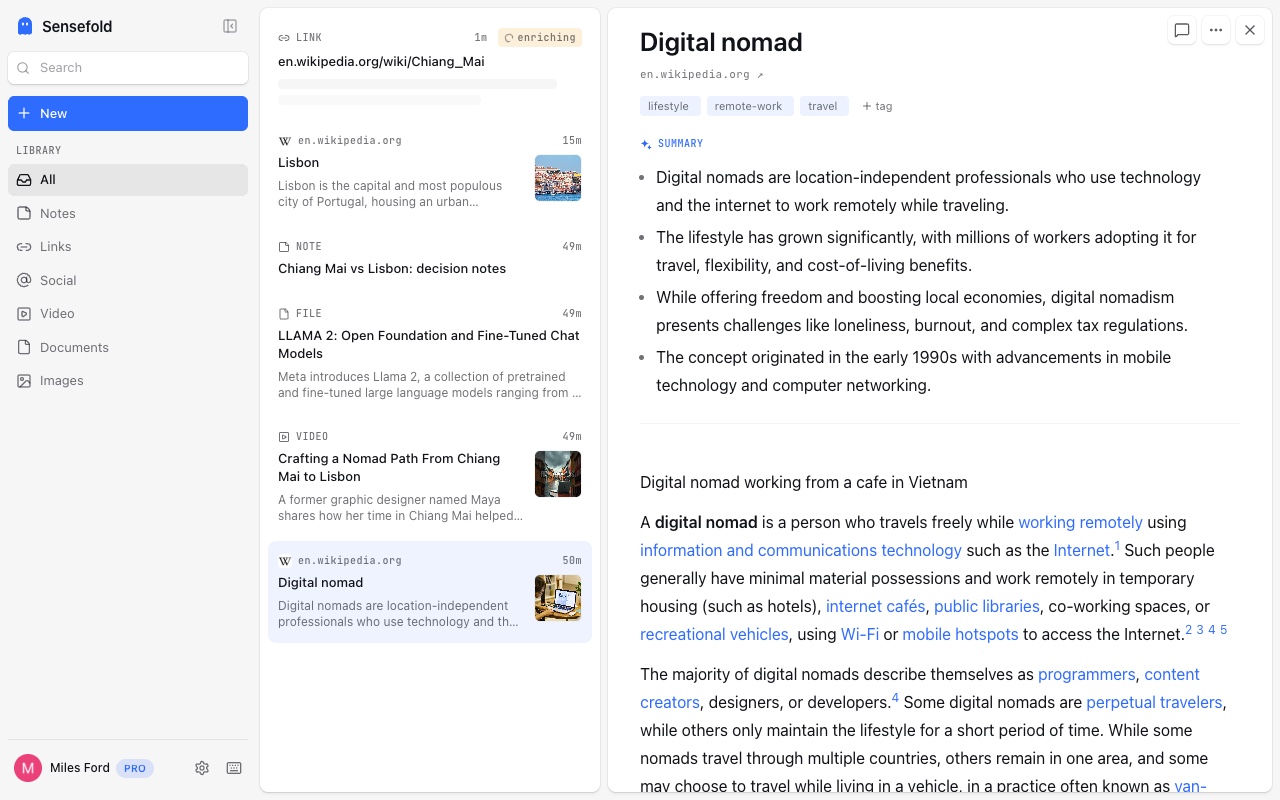
Current desktop version: 0.3.0. The web app updates continuously.
Capture
Section titled “Capture”- Paste anywhere — a URL, an image, a file — and it saves.
- Drag and drop files: PDFs, images, Word, PowerPoint.
- Write notes in a rich editor that stays Markdown underneath — checklists,
tables, slash commands, collapsible and draggable blocks; paste Markdown and
it renders. Notes are indexed for search but never rewritten by Sensefold’s
automatic AI, and they export as plain
.mdfiles. - Comment and highlight — comments on any item, timestamped comments on videos, and quoted highlights on saved pages. See comments and highlights.
- Saving is free. Enrichment — summary, tags, OCR, transcripts — spends credits; with zero credits a new link is kept as a pending capture (the URL alone, no text fetched) until you have credits again; pending captures are processed in bulk with Process now once you have credits. Storage: 2 GB on Starter, 20 GB on Pro. See credits and billing and pricing.
Recall
Section titled “Recall”- Hybrid search across titles, summaries, tags, and full extracted text — keyword and semantic together.
- Video guides with chapters and transcript follow.
- Realtime sync: captures from the extension and iOS appear as they happen.
Control
Section titled “Control”- Version history with revert — every edit, including every edit an agent makes, can be reviewed, diffed, and rolled back.
- Agent connections and keys — under You → For agents, see every OAuth connection, create tiered, revocable Agent keys, and revoke either. See agent permissions and the setup guides.
- Export your whole library as a Markdown ZIP — your context leaves with you, anytime. See export your library.
- You — For agents, Activity, Apps, Appearance, Privacy & data, Plan & credits, Export, and help. Open it from the account row at the bottom of the sidebar, or the You tab on a phone; when credits run low, the account row goes straight to Plan & credits.
Web is the one surface without a per-item Copy as Markdown; use the Chrome extension or the iOS app for that, or the ZIP export for everything.