Video
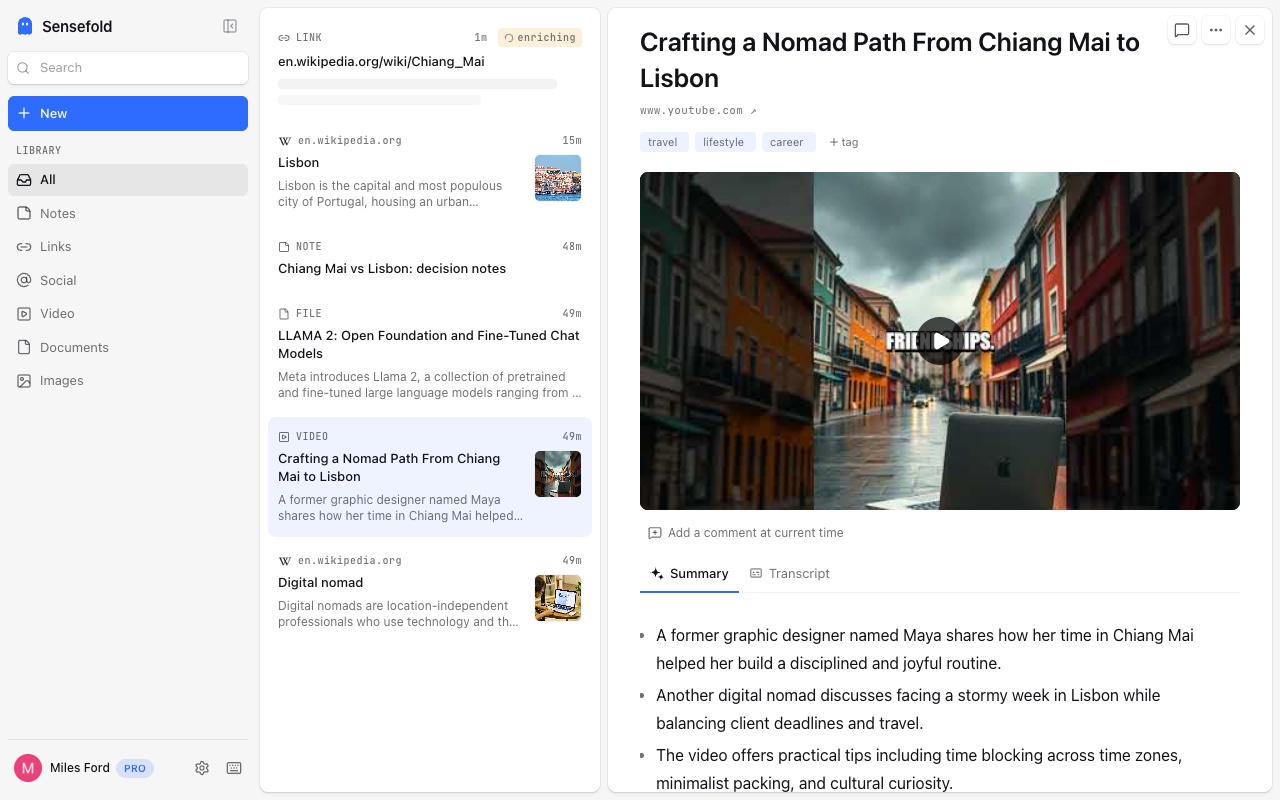
Videos are saved with their transcript, so what was said becomes searchable — with clickable seek back to the exact moment, and chapter-level guides on web and iOS. A talk you watched last month is findable by a phrase the speaker used, not just by its title.
Guide: how to summarize a YouTube video (transcript-first).
Supported sites
Section titled “Supported sites”| Source | What you get | Chrome extension | Share a link (iOS & Web) |
|---|---|---|---|
| YouTube | Transcript, chapter-level guide, clickable seek | ● Optimized | ● Optimized |
| Bilibili | Video page with metadata and description | ● Optimized | ● Optimized |
| TikTok / Douyin | Not supported yet — tell us if you rely on it | ○ Not yet | ○ Not yet |
● Optimized: tuned for the site · ◐ Works: general capture · ○ Not yet · N/A: not applicable on this path · How capture works
What a save looks like
Section titled “What a save looks like”A YouTube save is one Markdown item that holds:
- Title, channel, and the original link — the video is always one click away.
- The transcript, with timestamps — every segment keeps its time anchor, so search results and your AI can point at a moment, and the web and iOS apps seek the player to it when you tap a line.
- A chapter guide — generated from the transcript after saving: between 3 and 12 chapters covering the full video in order, each with a start time, a short title, and a one-sentence gist. Chapters are anchored to timestamps that actually appear in the transcript, so a chapter never points at a moment that does not exist.
- A summary and tags, like every capture.
Abridged, the item reads like this:
# Why context beats prompting
Source: https://www.youtube.com/watch?v=…
## Chapters
- 00:00 — The setup: three tools, zero shared memory- 04:12 — What "context" means for an agent- 11:40 — Markdown as the lowest common denominator
## Transcript
[00:00] So the problem everybody has right now is that every AI tool startsfrom zero…
Bilibili saves keep the video page with its metadata and description; the transcript and chapter guide are YouTube-only today.
Which path should I use?
Section titled “Which path should I use?”- Chrome extension — capture the video page you are watching. The extension reads the transcript YouTube shows for the video, previews the summary before you save, and lets you edit tags first. This is the path to use when you are already on the page.
- Share a link — share from the YouTube app through the iOS share sheet, or paste the URL into the web app. Sensefold fetches the transcript itself, so the result is the same item; you just skip the preview.
Does Sensefold save YouTube transcripts?
Section titled “Does Sensefold save YouTube transcripts?”Yes, whenever the video has one — YouTube’s own captions or auto-generated transcript. If a video has no transcript at all, the save still keeps the page, its metadata, and the description, but there is nothing to seek into and no chapter guide is generated.
What is not supported yet
Section titled “What is not supported yet”- TikTok and Douyin are not supported on either path.
- Videos inside X posts are not transcribed; the post’s text and images are captured. See Social & communities.
If you rely on one of these, tell us: support@sensefold.app.
After saving
Section titled “After saving”Transcript, chapters, summary, and tags are all searchable, and your connected AI can read the transcript over MCP — ask Claude or ChatGPT what a talk said about a topic and it can quote the moment with a link back to the item. Enrichment spends credits; saving never does. Start with Sensefold for agents.