Permissions, revocation, and undo
Giving an AI write access to your library never means giving up control. Every connection carries a permission tier you choose, can be revoked in one click, and every edit it makes is a version you can review, diff, and undo.
Three access tiers
Section titled “Three access tiers”| Tier | Can | Tools visible |
|---|---|---|
read_only | Search, list, and read items; read your quota | 7 (search_hub, list_items, get_item, get_quota, list_share_pages, plus the search/fetch aliases) |
edit | Also save links and notes, replace a note’s text, replace your tags | 11 |
full | Also move items to the recycle bin | 12 |
The tier shapes the tool list itself: a read-only connection does not see
save_link or update_note at all, and delete_item appears only on full.
A call outside the tier fails twice over: the tool is not in that connection’s
list, so an MCP client that calls it anyway gets an unknown-tool error, and a
second check at dispatch refuses the capability with API_KEY_TIER_DENIED
(HTTP 403), which is also what the REST endpoints return.
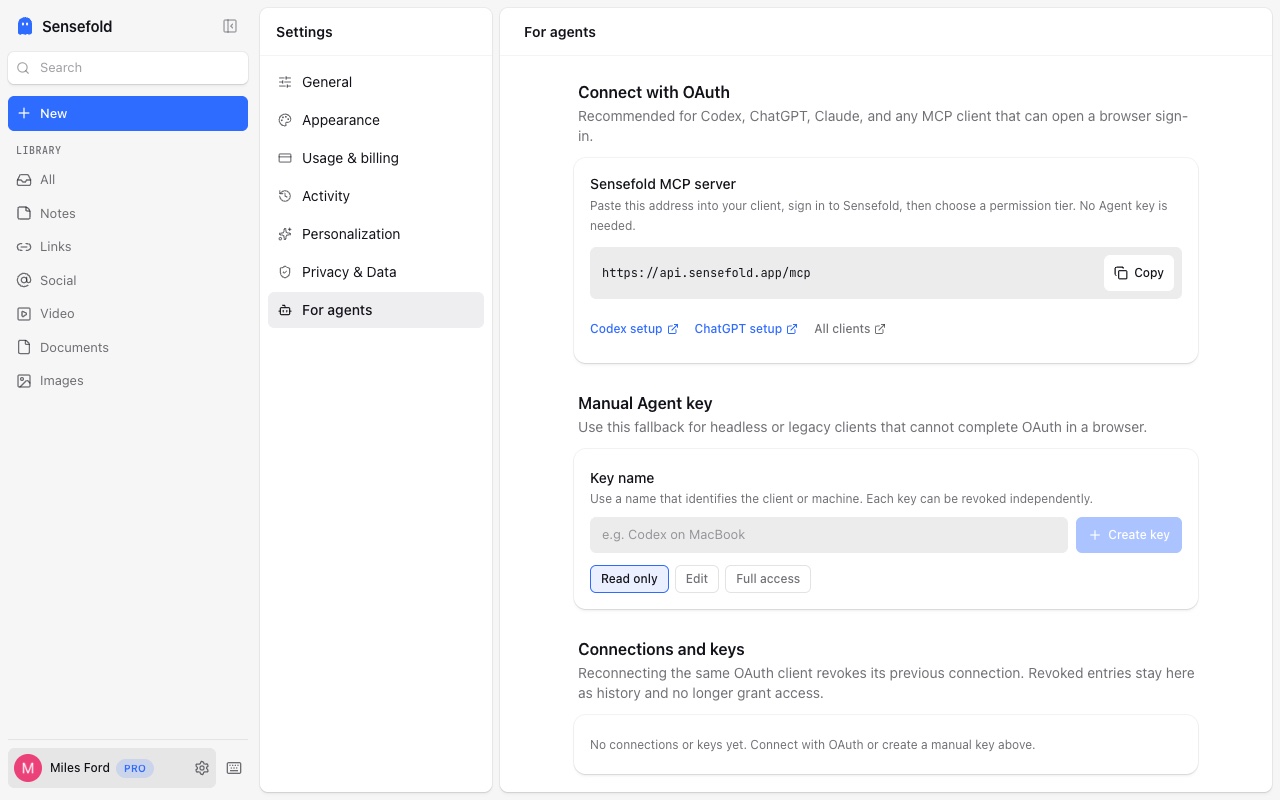
OAuth connections default to read-only. During authorization you pick the tier; keep read-only unless the client needs to save or update. A tier is fixed for the life of a key or connection — to change it, create a new key or reconnect and choose again.
OAuth connections vs Agent keys
Section titled “OAuth connections vs Agent keys”| OAuth connection | Agent key | |
|---|---|---|
| For | Any client that can open a browser: Claude, ChatGPT, Claude Code, Codex, Cursor, Hermes, OpenClaw | Headless or CI machines, and clients that only send static headers: VS Code with a key, scripts, anything else |
| Setup | Paste https://api.sensefold.app/mcp, sign in, pick a tier | Create a key under You → For agents, pick a tier, paste it as Authorization: Bearer … |
| Secret handling | No key to store; the client holds refreshable credentials | The full key is shown once at creation; store it in an environment variable or user-level config, never in a repo |
| Where it appears | You → For agents, as a connection row | You → For agents, as a key row |
Production keys look like lexi_agent_v1_production_<id>_<secret> and work
only against production.
Revoke or rotate
Section titled “Revoke or rotate”Open app.sensefold.app → You → For agents.
- Revoke a key and it stops working immediately. Lost a key? Revoke it and create a new one — there is no way to reveal it again.
- Revoke a connection the same way. Reconnecting the same OAuth client revokes its previous connection automatically; revoked rows stay listed as history and grant nothing.
- Disconnecting on the client side (removing the connector in Claude, deleting the server entry in Cursor) also ends access, but revoking in Sensefold is the authoritative step.
Every agent edit is a version
Section titled “Every agent edit is a version”update_note,update_tags, anddelete_itemrequireexpectedVersionfrom a freshget_itemread. Two writers cannot silently overwrite each other — the second getsVERSION_CONFLICTand must re-read.- Each item’s History drawer in the web app lists every change, who made it (you or which agent), and a field-level diff. Revert rolls an update back; Restore brings a deleted item out of the recycle bin.
- The account-wide Activity page shows the same feed across your whole library.
delete_itemis a soft delete to the recycle bin. Agents cannot delete permanently.
What agents cannot do
Section titled “What agents cannot do”- Read anything outside your own library, or anything you have not saved.
- Change your plan, buy credits, or run the bulk Process now step — those are signed-in web app actions only.
- Change your settings, export your library, or delete your account.
- Rewrite your notes without leaving a version behind.
See the MCP tools reference for the exact tool contract and Privacy for connected AI for what a client receives.